ナレッジ ~記事を移動する~【iPhone】

最終更新 : 2022 年 09 月 22 日 16:47
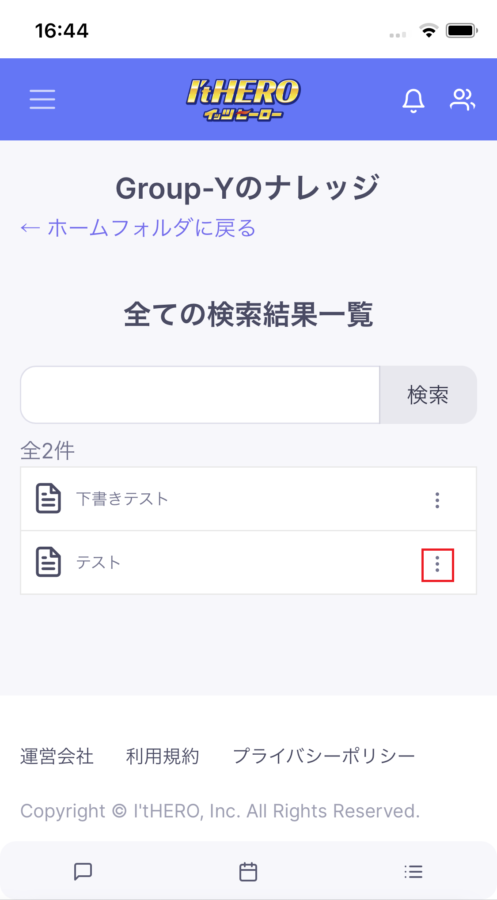
  1. 検索結果を一覧から記事の3点マークを選択します

    全ての検索結果を一覧に表示して、いずれかの記事の3点マークを選択します。

    検索の方法は「ナレッジ ~検索~【iPone】」をご覧ください。

    ナレッジ 保存場所の移動
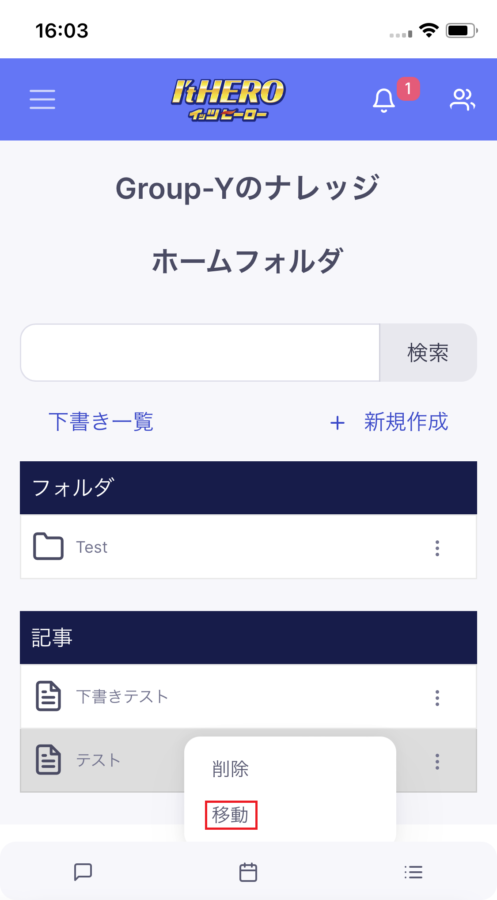
  2. 選択メニューから移動を選択します

    選択メニューから赤枠の「移動」を選択します。

    ナレッジ 移動の選択
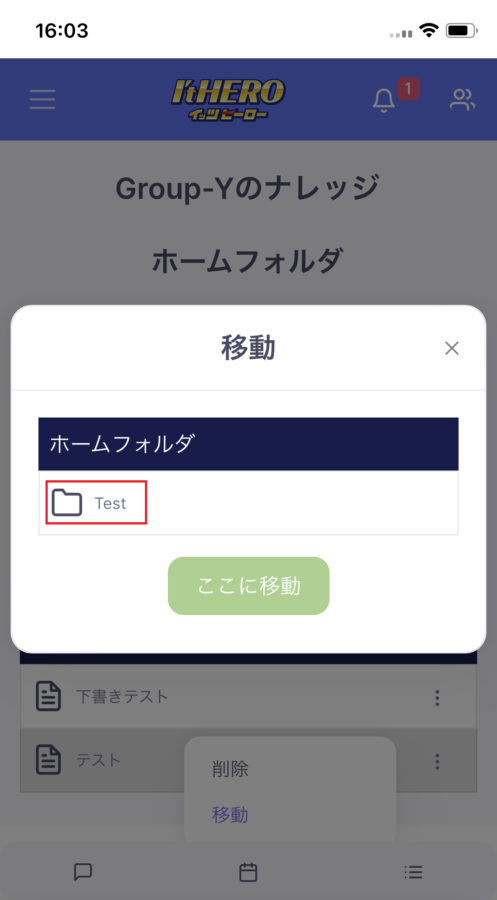
  3. 移動先のフォルダを選択します。

    移動先のフォルダの一覧が表示されますので、任意でフォルダを選択します。

    ナレッジ 移動するフォルダの選択
  4. 選択したフォルダに移動します

    選択したフォルダが表示されますので、確認が出来たら赤枠の「ここに移動」を選択します。

    ナレッジ 指定したフォルダに移動
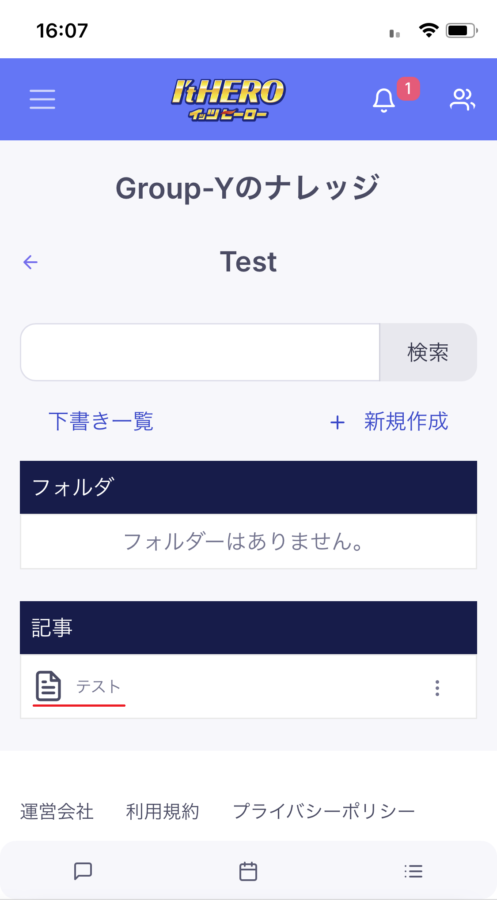
  5. 記事が移動できました

    記事がTestフォルダに移動できました。

    ナレッジ 記事が移動できました

問題が解決しない場合、下記の問い合わせフォームからご連絡ください。

This website stores cookies on your computer. These cookies are used to provide a more personalized experience and to track your whereabouts around our website in compliance with the European General Data Protection Regulation. If you decide to to opt-out of any future tracking, a cookie will be setup in your browser to remember this choice for one year.

Accept or Deny